
An escalation matrix is a reference table that tells every agent which issues go to which owner, what condition moves a case to the next tier, and how fast each person must respond. Built well, it turns judgment calls into a repeatable routine. Built around today’s staffing instead of durable roles, it gets ignored within a quarter. This guide shows what to put in the matrix, how to build it in six steps, and where operations leaders usually go wrong, so your customers stop waiting on cases nobody owns.
TL;DR
- An escalation matrix maps issue type or severity to an owner, a trigger, a response target and a next step. One row per issue type, one named role per tier.
- Name roles and backups, never individuals. Matrices built around people break when someone is out sick or leaves.
- Combine triggers: severity and customer tier decide the route, and the SLA clock catches anything that stalls.
- Pass context with every handoff, and do not reset the clock when a case changes hands.
- Measure escalation rate, first-contact resolution, time to resolution on escalated cases and post-escalation CSAT, then review the matrix on a schedule.
Table of Contents
- What an escalation matrix is and why support teams need one
- How escalation tiers work
- What to put in the matrix
- When an issue should escalate
- How to build your escalation matrix in six steps
- Where matrices fail
- Industry examples
- Measuring whether the matrix works
- Our perspective
- Staffing the tiers behind your matrix
- FAQ
- Sources
What an escalation matrix is and why support teams need one
Think of the matrix as the answer to one question agents ask all day: “Is this mine, or does someone else need it, and who?” Published guides describe it as a reference table that gives agents a clear routing path instead of guesswork or informal pings in a chat channel. A good one documents the role that handles each issue or severity, the condition that moves it onward, and the expected response timing.
Without it, three things happen. Agents hold cases too long because they are not sure they are allowed to pass them on. Or they pass everything up, and your senior people drown in work a first-line agent could have closed. And customers repeat their story to every new person who touches the case.
For a CX director or VP of support, the matrix is also a management tool. It shows where expertise is missing, where authority is too tightly held and which issue types keep climbing the ladder. That is data you can act on.
How escalation tiers work
Most matrices use three to five levels. A typical structure looks like this:
| Tier | Typical owner | What lands here |
|---|---|---|
| Tier 1 | Frontline agent | Common questions, standard requests, known fixes |
| Tier 2 | Senior agent or team lead | Policy exceptions, multi-step problems, repeat contacts |
| Tier 3 | Manager plus a specialist (billing, product, clinical, legal ops) | Complex or high-value cases, issues needing authority or deep expertise |
| Tier 4 | CX director, VP or executive sponsor | Widespread incidents, major accounts at risk, regulatory or reputational exposure |
One published example from June 2026 uses almost exactly this ladder: frontline agents, senior agents or leads, a manager plus specialist, and finally a CX director or VP. Your own ladder should reflect how your team works, not a template.
Four ways a case moves
The tiers describe where a case sits. The routing logic describes why it moves. Four patterns appear in nearly every matrix:
- Hierarchical: the case moves up the chain based on seniority or authority. Atlassian’s guide describes it as escalation by experience or seniority.
- Functional: the case goes sideways to a person or team with the right skills or systems knowledge, such as billing, a product team or a compliance reviewer.
- Priority-based: high-impact tickets skip the ladder and go directly to senior or specialist responders.
- Time-based: the case moves when an SLA threshold is reached or nearly breached.
These are not mutually exclusive. Atlassian notes that teams can combine hierarchical, functional and automatic methods, and most healthy matrices do exactly that.
What to put in the matrix
Start with the columns. For each issue type or severity level, record:
- Issue category and severity. Severity should rest on customer impact, scope and urgency, not on how loudly someone writes.
- First owner. Usually Tier 1, named as a role or queue.
- Escalation trigger. A condition an agent can check in seconds.
- Escalate-to role and backup. Always both.
- Response target and resolution target. Separate clocks.
- Channel. Warm transfer, ticket reassignment, pager, or a dedicated escalation queue.
- Customer update rule. Who tells the customer what, and by when.
One published breakdown of the table format lists issue category, severity level, response owner, response SLA, resolution target and escalation trigger as the core columns. The customer update column is the one teams forget, and it is the one customers feel.
Illustrative response targets
Targets must come from your own ticket history. As a reference point, one help desk guide offers illustrative P1 to P4 targets: a critical case with a 15-minute response and 4-hour resolution, down to a low-priority case with an 8-business-hour response and 5-business-day resolution. Treat these as a shape, not a standard. A healthcare patient line and an ecommerce returns queue will not share the same numbers.
When an issue should escalate
Agents need triggers they can check without debate. The reasons that recur across published guidance fall into four groups, and Featurebase’s guide lists them as lack of technical knowledge, a breached or imminent SLA, high customer or issue priority, and a conversation that is turning unhappy.
Turn each one into something observable:
- Expertise or authority gap: the fix requires a system permission, a refund above a set dollar amount, a policy exception or specialist knowledge the agent does not have.
- Time: the case has used a set share of its SLA window.
- Priority: the customer is on a premium or regulated tier, or the issue affects many users.
- Sentiment: the customer asks for a manager, threatens to cancel or has contacted you more than a set number of times.
Do not rely on the clock alone
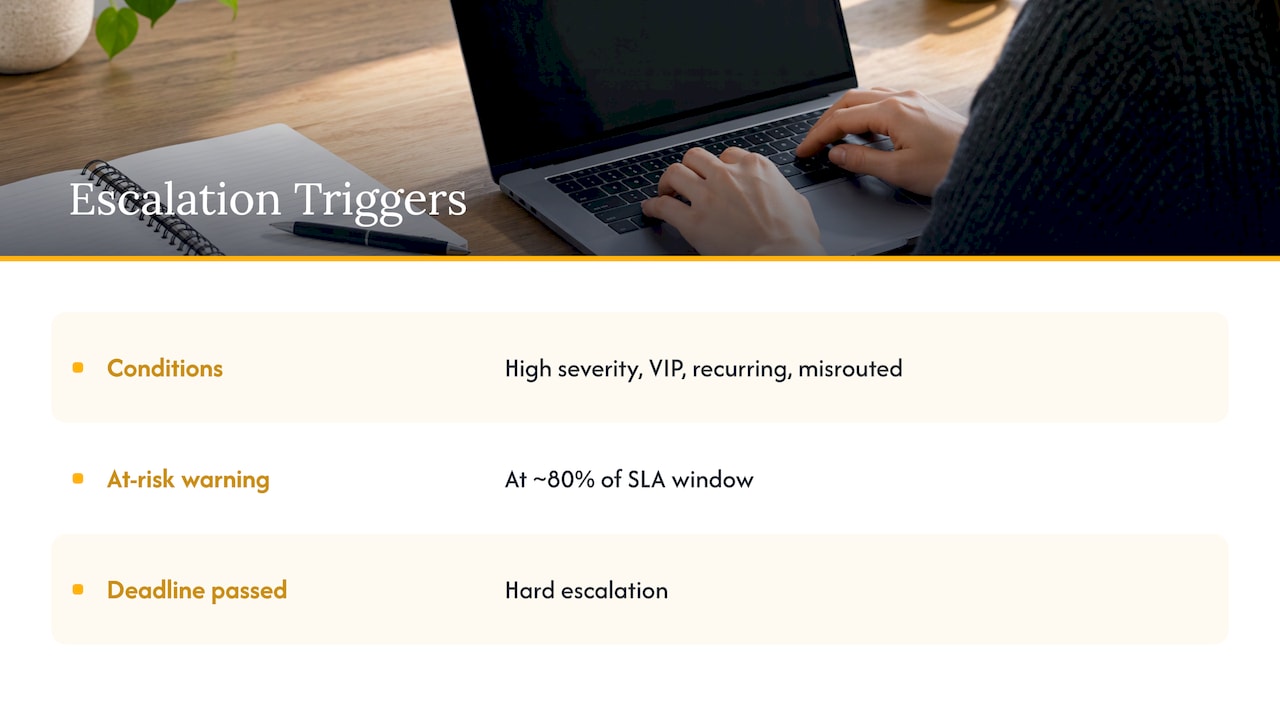
Time rules alone misfire. Giva’s guidance points out that ten minutes is long for a password reset but reasonable for a multi-step diagnostic, so condition-based triggers such as high severity, VIP accounts, recurring issues or misrouted tickets should sit on top of the SLA clock. The same source describes a common two-threshold pattern: an at-risk warning at roughly 80% of the SLA window and a hard escalation when the deadline passes.
For practical help with setting triggers around high-impact events, this incident reporting workflow walks through a seven-step path from first report to closure.
How to build your escalation matrix in six steps
1. Start with real tickets
Pull the last 30 days of tickets and tags and list the issue types that actually occur. Ringly’s process begins here, and it is the right place. A matrix designed from imagination covers the issues leaders worry about and misses the ones agents face. Where this goes wrong: teams brainstorm in a conference room and produce a matrix for a business that does not exist.
2. Define severity levels agents can observe
Three or four levels are enough. Each needs a definition based on impact (how many customers, what is blocked, is money or health or legal exposure involved) rather than adjectives. If two agents can read the same ticket and assign different levels, the definition is too vague. Our guide to customer support triage covers how intake classification feeds the matrix.
3. Assign owners and backups by role
Name the escalate-to role, not a person. Prepared Cloud warns that a common failure is building the matrix around current employees instead of durable functions. Every tier needs a primary and a backup, with coverage for nights, weekends and holidays if your customers contact you then.
4. Set response targets you can staff
Targets that depend on perfect staffing or constant heroics will be ignored. Base them on your history, split first response from resolution, and tie them to what you have promised customers in contracts or service agreements. If a tier cannot meet its target at peak volume, that is a staffing signal, not a reason to loosen the matrix quietly.
5. Write the handoff rules
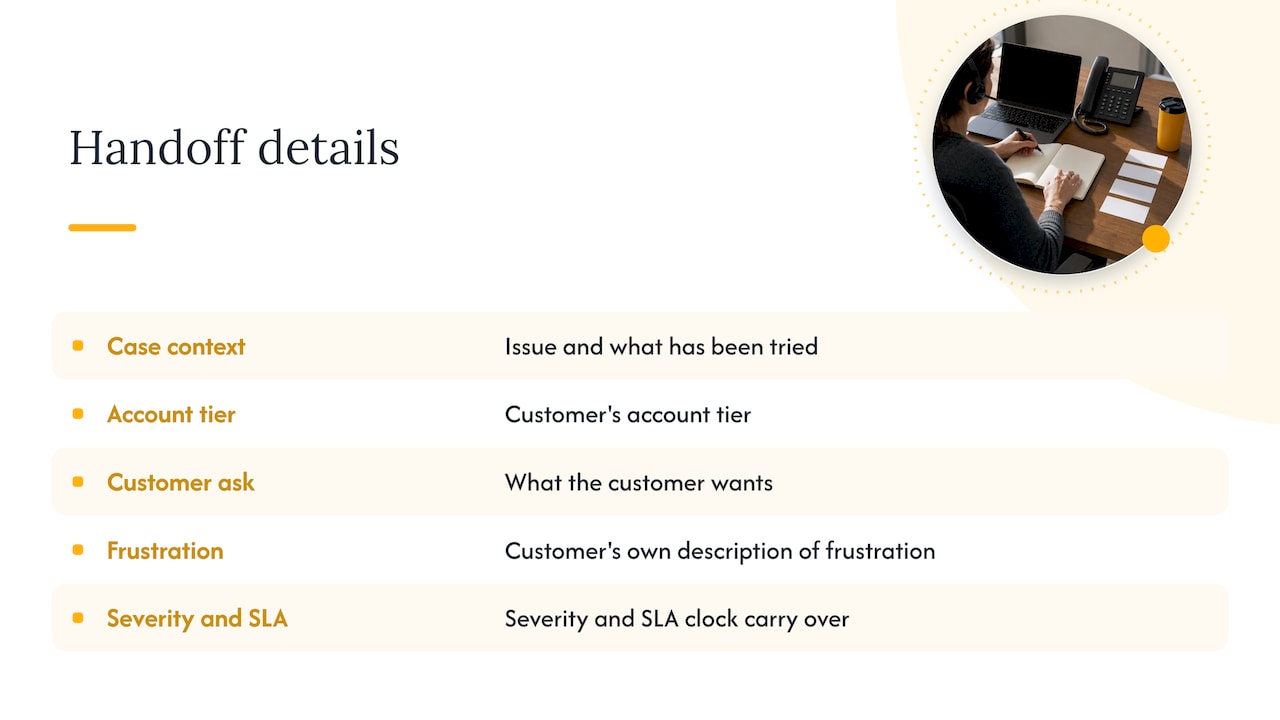
A handoff should carry the issue, what has been tried, the customer’s account tier and what the customer wants. A customer support SOP template adds two details worth copying: record the customer’s own description of their frustration, and let the severity and SLA clock carry over instead of resetting. Resetting the clock at each tier hides how long the customer has really waited.
Our seven-line handoff for the support escalation process shows a compact format for this.
6. Test, train, review
Run the draft against recent tickets. Every case that does not fit a row exposes a missing rule. Then train agents on the why behind each trigger, not just the table. Review the matrix on a fixed schedule and whenever products, roles or contract terms change.
Where matrices fail
- Too many tiers. Every extra level adds a handoff and a chance for context to drop. If two tiers handle the same work, merge them.
- Triggers that require judgment. “Escalate complex issues” tells an agent nothing. “Escalate refunds above a set amount” does.
- No backup owner. The matrix works until someone is on leave.
- Escalation as a dumping ground. When agents pass anything difficult upward, the cause is usually missing knowledge-base content or training. A runbook for common issues, as described in our support runbook design guide, keeps Tier 1 resolving what it should.
- A document nobody opens. Put the matrix inside the ticketing tool or the agent’s main workspace, not on a shared drive.
Industry examples
The columns stay the same. The triggers change with the stakes.
- Healthcare: patient safety concerns, billing disputes tied to coverage and anything involving protected health information route to defined clinical or compliance owners.
- Legal: a new matter inquiry, a deadline-sensitive question or a client complaint about communication moves to an attorney or practice manager on a short clock. Our legal support team scaling guide explains how in-house leaders structure that support.
- Ecommerce: order value thresholds, repeat contacts about the same delivery, chargebacks and high-lifetime-value customers decide the route. See our guide on improving ecommerce customer support.
- Financial services: disputes, suspected fraud and regulatory complaints need named specialist owners and documented timelines.
For IT-style environments, the same logic applies to help desk tiers, where Tier 1 to Tier 3 responsibilities need to be explicit.
Measuring whether the matrix works
Track four numbers:
- Escalation rate: the share of cases leaving Tier 1.
- First-contact resolution: whether Tier 1 is closing what it should.
- Time to resolution for escalated cases: where handoffs slow things down.
- Post-escalation CSAT: how customers feel about the case after it moved.
These four are the set Featurebase recommends. Also record the cause, the handler and the elapsed time for every escalation, and confirm resolution with the customer. Repeated patterns point to documentation gaps, training needs or product defects, and reviewing them is where the matrix pays for itself. Customer feedback is a useful second lens: this piece on customer feedback and revenue growth is relevant when you decide which gaps to fix first.
Our perspective
A matrix is only as strong as the team that runs it. We see the table as the easy half. The harder half is staffing each tier with people who know the process, speak your customers’ language and can hold a response target on a bad Monday.
That is why we pair process design with the people who carry it out. At Altiam CX, our nearshore teams work from Latin America, with bilingual agents, scalable team deployment and managed team extension, so a tier that is short on capacity can be filled without rebuilding your structure.
Our view for operations leaders: write the matrix by role, keep the handoff short, and make the first tier strong enough that escalation is the exception. When Tier 1 and Tier 2 are well staffed and documented, the upper tiers can focus on the cases that truly need them.
Daniela
Staffing the tiers behind your matrix
A matrix assigns work. It does not create the people to do it. If your Tier 1 and Tier 2 queues are stretched, targets slip and escalations pile up regardless of how well the document is written.
Altiam CX provides nearshore customer experience services and managed team extension, delivered from Latin America, for organizations in healthcare, legal, ecommerce, retail and financial services. Our Customer Experience and Managed Team Extension services cover frontline support and extend your existing team.

If you run patient operations, see our healthcare CX operations offering, which includes managed customer support and patient support with SOP management. For law practices, our legal intake and client communication offering covers intake and inquiry handling, client follow-ups, scheduling and managed legal team extension.
FAQ
What is an escalation matrix?
It is a table or flowchart that shows who owns each type or severity of issue, what condition moves it to the next person or team, and how quickly each owner must respond. It lets agents route cases without guessing and lets managers see where cases stall.
How many escalation tiers should we have?
Most support teams use three to five. Start with the fewest that cover your real work: frontline, a senior or lead tier, a manager with specialists, and an executive level for major incidents. Add a tier only when a distinct group owns distinct decisions.
What is the difference between hierarchical and functional escalation?
Hierarchical escalation moves a case up to someone with more seniority or authority. Functional escalation moves it to someone with the right expertise, such as billing or a product team, who may not be more senior. Most matrices use both.
Should escalation be based on time or on severity?
Both. Severity and customer tier decide where a case starts and whether it skips tiers. The SLA clock catches cases that stall. Using time alone misses urgent cases that are still within the window and escalates simple ones too early.
How often should we review the matrix?
On a fixed schedule, and any time products, roles, contracts or staffing change. Use recent escalated tickets and your four measures to find rows that are missing, unclear or never used.
Sources
- Escalation Management: Process, Matrix & Best Practices
- Escalation Policies for Incidents: Types & Tips
- Escalation Matrix Template and Example for Escalation
- Escalation Matrix: Meaning, Format & Templates
- Escalation Matrix: How to Build One for Your Help Desk
- How to Build a Ticket Escalation Process
- How to Set Up IT Help Desk Escalation Rules
- How to build a customer service escalation process
- Customer Support Escalation SOP Template
- Incident Reporting Workflow: 7 Steps From Field Report to Closure
- Customer feedback drives revenue growth