
Back-office inefficiencies quietly drain resources and frustrate customer experience teams across mid to large organizations every day. Manual data entry errors cascade into billing disputes, slow invoice processing delays vendor payments, and disconnected systems force employees to toggle between platforms constantly. These friction points not only increase operational costs but also compromise service quality when customer-facing teams lack timely access to accurate information. This guide walks you through a systematic approach to identifying bottlenecks, implementing proven optimization strategies like automation and nearshore outsourcing, and measuring results that stick.
Table of Contents
- Assessing And Preparing To Optimize Back-Office Operations
- Implementing Optimization Strategies Effectively
- Measuring Results And Sustaining Optimization Gains
- How Altiam CX Can Transform Your Back-Office Operations
- What Processes In The Back Office Benefit Most From Optimization?
- How Can Nearshore Outsourcing Improve Back-Office Efficiency?
- What Metrics Should I Use To Track Back-Office Optimization Success?
- How Long Does Back-Office Optimization Typically Take?
Key takeaways
| Point | Details |
|---|---|
| Assess current workflows | Map processes to identify bottlenecks, redundancies, and manual tasks causing delays |
| Implement strategic optimization | Apply automation, nearshore outsourcing, and staff training to streamline operations |
| Measure and sustain gains | Track KPIs like processing time and error rates to verify improvements and maintain momentum |
| Leverage nearshore advantages | Nearshore partners offer faster turnaround with cultural alignment and cost efficiency |
Assessing and preparing to optimize back-office operations
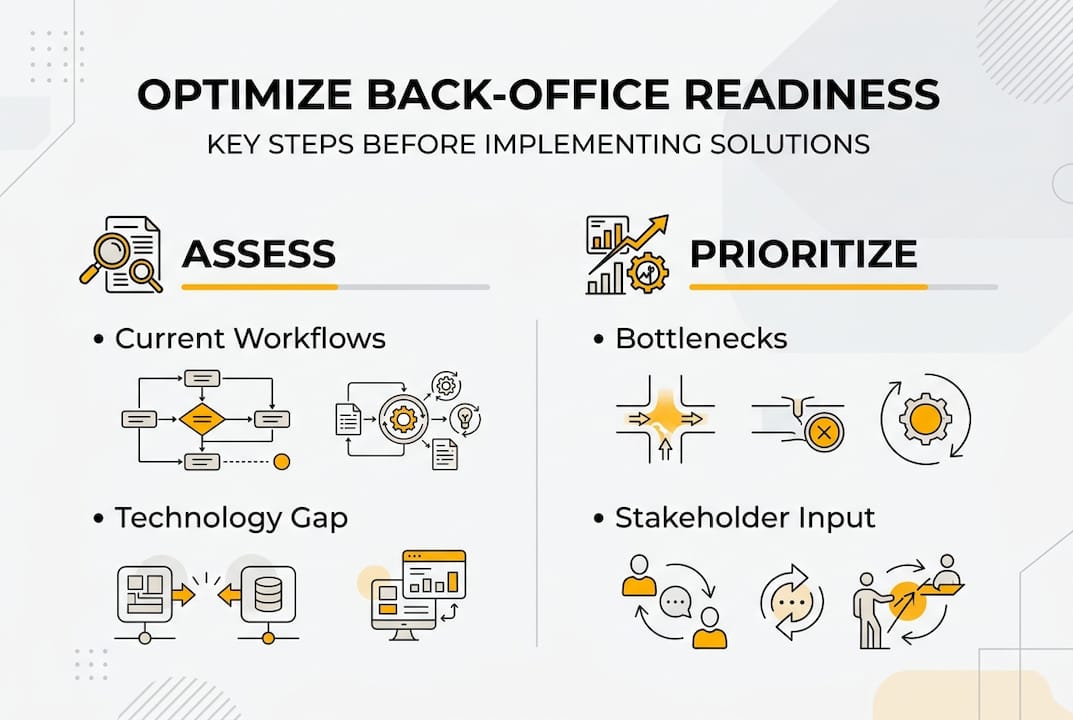
Before making changes, you need a clear picture of how your back-office currently operates. Workflow audits reveal where time and resources disappear into inefficient processes. Start by mapping each major function from invoice receipt to payment completion, customer record updates to reporting cycles. Document every handoff, approval step, and system interaction.
Identify specific bottlenecks causing delays. Look for tasks requiring multiple manual approvals, data entry repeated across systems, or processes waiting on email confirmations. Back-office processes can be made 40% faster when you address these friction points systematically. Redundant steps often hide in plain sight because teams accept them as standard procedure.
Engage stakeholders who live with these processes daily. Your accounts payable team knows exactly which vendor portals cause headaches. Customer service representatives can pinpoint when outdated customer records create service delays. These frontline insights expose pain points that spreadsheets miss.
Set clear optimization goals tied to business priorities. Are you aiming to reduce invoice processing time by 30%? Cut data entry errors in half? Improve customer record accuracy to 98%? Specific targets guide your strategy and provide benchmarks for measuring success later.
Consider your technology readiness honestly. Assess whether current systems can integrate with automation tools or whether you need platform upgrades first. Evaluate whether back-office outsourcing makes sense for high-volume, repetitive tasks that drain internal resources.
Pro Tip: Use process mapping tools like Lucidchart or Miro to visualize workflows collaboratively with your team. Color-code steps by processing time to instantly spot where delays concentrate, making inefficiencies impossible to ignore.
Your preparation phase should answer three questions:
- Which processes consume the most time relative to their value?
- Where do errors occur most frequently and what triggers them?
- What percentage of employee time goes to repetitive tasks versus strategic work?
This foundation ensures you optimize the right processes in the right sequence. Jumping straight to solutions without thorough assessment wastes resources on changes that miss the actual problems.
Implementing optimization strategies effectively
With assessment complete, execute optimization through a phased approach that minimizes disruption while delivering measurable improvements. Prioritization determines success. Not every process deserves immediate attention.
Step 1: Target high-volume, error-prone processes for automation first. Invoice processing, data entry, and report generation typically offer the quickest wins. Robotic process automation handles repetitive tasks faster and more accurately than manual methods. Start with processes that have clear rules and predictable inputs.

Step 2: Explore nearshore outsourcing for functions requiring human judgment but not physical presence. Business process outsourcing allows you to scale capacity without the overhead of hiring, training, and managing additional full-time staff. Nearshore partners in similar time zones enable real-time collaboration while delivering cost advantages.
Step 3: Train your team thoroughly on new workflows and tools. Technology only delivers value when people adopt it confidently. Create hands-on training sessions, not just documentation. Assign process champions who master new systems first and then support colleagues. Address concerns about job security by emphasizing how automation eliminates tedious work, freeing employees for higher-value responsibilities.
Step 4: Integrate technology platforms to create a unified data environment. Disconnected systems force employees to manually transfer information, creating errors and delays. API connections between your CRM, ERP, and customer care platforms eliminate duplicate data entry and ensure everyone works from the same accurate information.
Pro Tip: Launch pilot projects with a single process or department before organization-wide rollouts. A three-month pilot on accounts payable automation reveals integration challenges and user adoption barriers while limiting risk. Use pilot results to refine your approach before scaling.
Implementation requires balancing speed with stability. Move quickly enough to maintain momentum and demonstrate value, but not so fast that quality suffers or employees feel overwhelmed. Weekly check-ins during the first month catch problems early when they are easier to fix.
Monitor adoption rates closely. If only 40% of your team uses the new system after two weeks, you have a training or change management problem, not a technology problem. Address resistance through additional support, not mandates. Understanding why people revert to old methods reveals gaps in your implementation strategy.
Document new standard operating procedures as you go. Clear, visual guides help new employees onboard faster and ensure consistency across shifts and locations. Update documentation whenever you refine processes based on early feedback.
Measuring results and sustaining optimization gains
Optimization means nothing without proof it works. Establish measurement systems before, during, and after implementation to track actual impact versus hoped-for improvements.
Identify key performance indicators that directly reflect your optimization goals. Processing time measures efficiency gains. Error rates indicate quality improvements. Customer satisfaction scores reveal whether back-office changes enhance service delivery. Cost per transaction shows financial impact. Choose three to five metrics that matter most to your organization.
Use dashboards that update automatically rather than manual reports. Real-time visibility helps you spot problems immediately instead of discovering issues weeks later in monthly reviews. Tools like Tableau, Power BI, or built-in analytics from your business platforms make performance transparent across teams.
Compare pre- and post-optimization results in clear data tables that tell the story at a glance:
| Metric | Before Optimization | After Optimization | Improvement |
|---|---|---|---|
| Average invoice processing time | 8.5 days | 3.2 days | 62% faster |
| Data entry error rate | 4.2% | 0.8% | 81% reduction |
| Customer record accuracy | 91% | 98% | 7 percentage points |
| Cost per transaction | $12.40 | $7.80 | 37% savings |
Optimizing customer experience and back-office processes delivers measurable productivity improvements when you track the right indicators consistently.
Implement periodic process reviews every quarter to catch efficiency drift. Processes optimized today slowly accumulate workarounds and exceptions that erode gains over time. Schedule reviews where teams assess whether current workflows still match documented procedures and identify new optimization opportunities.
Create feedback loops that capture frontline insights continuously. Your team notices small inefficiencies daily that never make it into formal reviews. Simple mechanisms like a shared Slack channel or monthly improvement suggestion meetings surface these observations while they are fresh.
Avoid common pitfalls that undermine sustained optimization:
- Declaring victory too early before new processes become habitual
- Neglecting to update training materials when workflows evolve
- Allowing exceptions to multiply without formal approval processes
- Failing to celebrate wins and recognize teams driving improvements
- Optimizing in isolation without considering downstream impacts on other departments
Sustaining gains requires treating optimization as an ongoing discipline, not a one-time project. Workflow improvements compound over time when you build continuous improvement into your operational culture. Organizations that maintain momentum see efficiency gains accelerate in year two and beyond as teams internalize optimization thinking.
Share results broadly across your organization. When finance sees how back-office operations improvements reduced processing costs, they become advocates for further optimization. When customer experience teams observe faster access to accurate data improving service quality, they champion process discipline.
How Altiam CX can transform your back-office operations
Optimizing back-office operations demands expertise, capacity, and sustained focus that many organizations struggle to maintain internally while managing daily operations. Altiam CX specializes in nearshore customer experience outsourcing that transforms back-office efficiency through disciplined execution and measurable performance frameworks.

Our nearshore teams combine cultural alignment with geographical proximity, delivering faster turnaround times than offshore alternatives while maintaining cost advantages over domestic expansion. We bring proven methodologies for transforming business efficiency through process optimization, automation integration, and scalable team extensions.
Real results matter. Our clients achieve measurable gains like 89% productivity improvements and 40% faster processing times by partnering with teams who understand operational excellence. Whether you need support for high-volume transaction processing, customer record management, or technical back-office functions, we scale with your needs.
Explore how enterprise CX support tailored to mid and large organizations can accelerate your optimization journey. We handle the execution while you focus on strategic growth.
What processes in the back office benefit most from optimization?
Processes involving high volumes of repetitive tasks deliver the most significant efficiency gains when optimized. Invoicing, data entry, customer record management, and billing typically top the priority list because they consume substantial staff time while following predictable patterns. These areas often involve manual handoffs between systems that automation can eliminate entirely. Payment processing and vendor management also yield strong returns because errors in these functions create costly downstream problems. Focus first on processes where small time savings per transaction multiply across thousands of monthly occurrences.
How can nearshore outsourcing improve back-office efficiency?
Nearshore outsourcing combines cost advantages with operational benefits that offshore alternatives cannot match. Geographic proximity means overlapping business hours for real-time collaboration instead of asynchronous communication delays. Cultural alignment reduces misunderstandings and accelerates training compared to distant offshore locations. Nearshore outsourcing accelerates back-office processes by up to 40% through dedicated teams who scale capacity without the overhead of domestic hiring. You gain flexibility to adjust resources based on seasonal demands while maintaining consistent quality standards.
What metrics should I use to track back-office optimization success?
Key metrics include average processing time, error rates, customer satisfaction scores, and cost per transaction. Processing time reveals efficiency gains directly. Error rates indicate whether quality improved alongside speed. Customer satisfaction connects back-office performance to business outcomes. Cost savings demonstrate financial impact to justify continued investment. Tracking KPIs like processing time and error reduction verifies optimization impact and identifies new improvement opportunities. Monitor these metrics weekly during implementation, then monthly once processes stabilize. Regular measurement prevents efficiency drift and maintains momentum.
How long does back-office optimization typically take?
Timelines vary based on process complexity and organizational readiness, but expect three to six months for meaningful results. Assessment and planning require four to six weeks. Implementation of automation or outsourcing takes two to three months including training and stabilization. Measuring sustained improvements needs at least another month of consistent data collection. Phased approaches deliver quicker wins by targeting high-impact processes first rather than attempting organization-wide transformation simultaneously. Pilot projects show results in as little as 60 days, building momentum for broader initiatives.