TL;DR:
- Inconsistent technical support undermines trust, increases costs, and jeopardizes service level agreements. Implementing a standardized, ITIL-based workflow with automation and a strong knowledge base enhances efficiency and improves customer satisfaction. Regular measurement, continuous improvement, and stakeholder buy-in are essential for sustaining effective support operations.
Inconsistent technical support doesn’t just frustrate users. It erodes trust, inflates operational costs, and puts service level agreements at risk. For customer experience leaders and operations directors, a fragmented support process is one of the most visible and preventable sources of organizational friction. Every unresolved ticket, every missed escalation, every repeated incident without a root cause fix represents a measurable hit to service quality and customer loyalty. This guide delivers a structured, ITIL-grounded framework to help your team standardize every stage of technical support, from first contact to post-incident review, while integrating automation and modern best practices that drive real, measurable improvements.
Table of Contents
- What you need for a streamlined technical support process
- Step-by-step technical support workflow: From incident to resolution
- Major incidents, problem management, and continuous improvement
- Common pitfalls and troubleshooting
- How to measure success: Key metrics and verification
- Why most technical support playbooks fail and what actually works
- Advance your support operation with expert solutions
- Frequently asked questions
Key Takeaways
| Point | Details |
|---|---|
| Start with ITIL basics | A structured workflow from logging to review is the foundation of efficient support. |
| Leverage automation and AI | Self-service and AI routing deflect up to half of routine tickets, saving costs and speed. |
| Handle major incidents separately | Use dedicated communication and focus on rapid restoration before root cause analysis. |
| Prioritize continuous improvement | Regular process reviews, root cause analysis, and knowledge updates elevate long-term service. |
| Measure what matters | Track ticket deflection, resolution speed, escalation rates, and user satisfaction for real progress. |
What you need for a streamlined technical support process
Before you can optimize, you need to build on a solid foundation. Efficient technical support depends on having the right tools, clearly assigned roles, and documented processes in place before the first ticket ever arrives.
The core building blocks are:
- Ticketing system: A centralized platform (such as ServiceNow, Zendesk, or Jira Service Management) that logs, categorizes, and tracks every incident from creation to closure.
- Knowledge base: A searchable, regularly updated repository of known issues, workarounds, and self-service guides. This is your most powerful deflection tool.
- Escalation matrix: A written document specifying when and how tickets move between tiers, including functional escalation (skill-based) and hierarchical escalation (SLA or authority-based).
- Role assignments: Clearly defined responsibilities at each support tier, from Tier 0 self-service through Tier 3 engineering.
The ITIL-based workflow formalizes this structure by covering incident logging, categorization, prioritization by impact and urgency, initial diagnosis, escalation, resolution, closure, and post-incident review. Skipping any of these steps is where most support breakdowns start.
| Tier | Role | Primary tool | Resolution target |
|---|---|---|---|
| Tier 0 | End user (self-service) | Knowledge base, chatbot | 20-40% of all tickets |
| Tier 1 | Help desk agent | Ticketing system | 70-80% of escalated tickets |
| Tier 2 | Technical specialist | Remote diagnostic tools | Complex break/fix cases |
| Tier 3 | Engineering/vendor | Dev or vendor systems | Critical/product-level issues |
Getting your scaling support teams strategy right from the start means fewer costly gaps later. Consider IT partnership strategies as an accelerator for filling skill gaps at Tier 2 and Tier 3 without committing to full-time hires. The goal of improving support quality at every tier is fundamentally tied to how well these prerequisites are in place before you start fielding tickets at scale.
Automation and AI are reshaping this foundational layer. AI-enabled chatbots, auto-categorization, and smart routing now reduce manual triage time substantially, allowing Tier 1 agents to focus on higher-value interactions. The ROI case is straightforward: fewer escalations mean lower cost per ticket and faster resolution.
Pro Tip: Invest early in a robust, regularly updated knowledge base. A well-maintained KB is the single highest-ROI investment in self-service, directly cutting Tier 1 ticket volume and freeing agents for complex cases.
Step-by-step technical support workflow: From incident to resolution
With your prerequisites in place, the process itself can follow a consistent, repeatable flow. The ITIL-based workflow defines each stage clearly, and executing each one with discipline is what separates high-performing support organizations from reactive ones.
Here is the step-by-step process:
- Incident logging: Capture the issue with full context. Who is affected, what system is involved, when it started, and what the user has already tried.
- Categorization: Assign a category (hardware, software, network, access) to enable accurate routing and reporting.
- Prioritization: Score the incident using impact multiplied by urgency. This drives your SLA clock and determines queue position.
- Initial diagnosis: Tier 1 works against the knowledge base to identify known fixes. This is where service requests should be separated from true incidents for faster routing.
- Escalation: If Tier 1 cannot resolve within the defined timeframe, escalate functionally (to a specialist) or hierarchically (to a manager) based on the escalation matrix.
- Resolution and recovery: The assigned team implements the fix, confirms service is restored, and documents the resolution steps.
- Closure with user confirmation: Never close a ticket unilaterally. Confirm with the affected user that service is fully restored before marking it resolved.
- Post-incident review (PIR): Review what happened, what was done, and what can be improved. This is the feedback loop that drives continuous improvement.
The tiered support structure targets 70-80% first-contact resolution at Tier 1, which is only achievable when logging and categorization are accurate and the knowledge base is current.
A key shift in 2026 is how AI augments this workflow. Compare the traditional and AI-augmented approaches:
| Stage | Traditional process | AI-augmented process |
|---|---|---|
| Logging | Agent manually logs details | Auto-capture via chatbot or IVR |
| Categorization | Manual selection | AI auto-categorizes by keyword/pattern |
| Initial diagnosis | KB search by agent | AI surfaces top 3 solutions instantly |
| Escalation | Rules-based, time-triggered | Predictive escalation based on sentiment and complexity |
| Closure | Agent confirms by email | Automated confirmation with CSAT trigger |

AI agents now deflect 30-50% of routine tickets, reducing cost per interaction and allowing experienced agents to handle genuinely complex cases. For operations directors managing cost efficiency alongside service quality, that deflection rate is a critical lever.
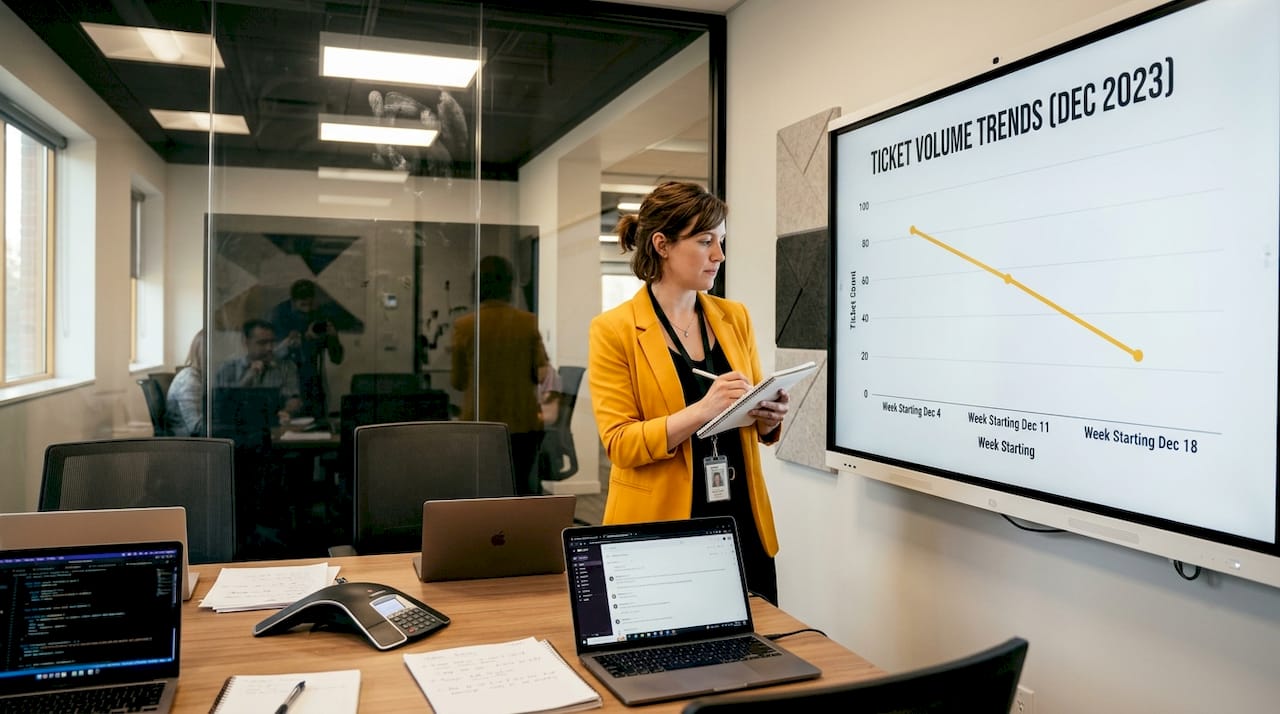
Teams focused on cutting handling time consistently report that the biggest gains come from accurate categorization at intake, not from working faster downstream. Getting the right ticket to the right person the first time is the fastest path to resolution. Scalable support strategies that build on this principle tend to outperform those focused primarily on headcount additions. For leaders looking to benchmark, evidence-based service quality frameworks provide measurable criteria for evaluating each step. Managing multi-partner IT projects adds coordination complexity, but the same ITIL workflow applies with additional stakeholder mapping.
Pro Tip: At Step 4, always classify whether the item is a service request (standard fulfillment) or a true incident (unplanned disruption). Mixing these in the same queue delays both and skews your resolution metrics.
Major incidents, problem management, and continuous improvement
Not every incident follows the standard flow. Major incidents require a distinct, parallel response process. So does the work of preventing recurring issues from happening in the first place.
Signs that an incident qualifies as “major” and needs separate handling include:
- Multiple users or an entire business unit affected simultaneously
- Critical business systems (ERP, CRM, payment platforms) are down
- No workaround exists and the business impact is escalating
- SLA breach is imminent or has already occurred
- Regulatory or compliance exposure is present
Major incidents require a dedicated incident manager, a separate communication bridge, and stakeholder updates every 30 to 60 minutes. The team’s focus is restoration, not root cause analysis. That comes later.
“In major incidents, focus on service restoration first and root cause analysis after recovery.” This principle prevents the common mistake of stalling restoration efforts while teams chase explanations, a delay that compounds business impact and damages stakeholder trust. (ITIL best practices)
After service is restored, problem management begins. Problem management triggered by recurring incidents follows a structured root cause analysis cycle that feeds directly into change management. Here is how it runs:
- Incident review: Pull the full incident record and timeline. Identify patterns across related tickets.
- Workaround documentation: Publish a temporary workaround to the knowledge base immediately. This reduces repeat escalations while the permanent fix is developed.
- Root cause analysis: Use structured techniques (5 Whys, fishbone diagram) to identify the underlying cause, not just the surface symptom.
- Permanent fix via change management: Submit the fix as a formal change request, test in a staging environment, and deploy with rollback procedures.
- Close the loop with PIR: Document lessons learned and update training materials, escalation guidelines, and the knowledge base accordingly.
Back-office automation plays a meaningful role here, automating the generation of PIR templates, tracking change request status, and flagging tickets that share root causes for consolidated problem records. Organizations that treat PIR as a genuine learning event rather than a compliance checkbox reduce repeat incident rates significantly over time.
Common pitfalls and troubleshooting
Even well-designed support processes degrade without active maintenance. Here are the most common breakdowns and how to address them:
- Unclear escalation criteria: Agents escalate too early (inflating Tier 2 workload) or too late (breaching SLAs). Fix: Review and redistribute the escalation matrix quarterly, with clear time thresholds and issue types for each tier.
- Siloed knowledge: Tier 2 resolves complex issues but never documents the fix, leaving Tier 1 to reinvent the wheel on every recurrence. Fix: Make KB contribution a formal part of the Tier 2 ticket closure process, tracked in performance metrics.
- Stale knowledge base: Outdated articles create more confusion than they resolve, eroding user trust in self-service. Fix: Assign KB ownership by topic area and require article review every 90 days.
- Poor communication during incidents: Affected users and stakeholders receive no updates, leading to repeat contacts that flood your queue. Fix: Automate status page updates and define a communication cadence in your major incident protocol.
- Ignoring PIR findings: Teams conduct post-incident reviews but never action the findings, repeating the same failures. Fix: Assign an owner and due date to every PIR recommendation before the review closes.
Distinguishing service requests from incidents at intake is critical, especially during high-volume periods. Misclassification at the front door creates bottlenecks that cascade through the entire workflow and inflate resolution times for everyone. Scalable support solutions account for this by building intake logic that routes these item types to separate queues from the moment of logging.
Pro Tip: Create a recurring calendar trigger every 90 days for a structured process review session. Include a KB audit, escalation matrix check, and a review of the most recent PIR action items. Consistency here is what separates organizations that improve continuously from those that stagnate.
How to measure success: Key metrics and verification
Implementing a structured process is only half the job. Knowing whether it is working requires tracking the right metrics at each tier and connecting operational performance to customer experience outcomes.
Key metrics to track:
- First contact resolution (FCR): Percentage of tickets resolved at Tier 1 without escalation
- Speed to resolution: Average time from ticket creation to confirmed closure
- Escalation rate: Percentage of tickets moving up from one tier to the next
- Ticket deflection rate: Percentage of potential tickets resolved via self-service or automation before reaching an agent
- User satisfaction (CSAT/NPS): Post-interaction scores that reflect the quality and ease of the support experience
AI agents and automation can deflect 30-50% of routine tickets, with SaaS organizations reporting a median cost of $22 per agent-handled ticket. Higher deflection directly reduces this cost.
| Metric | Tier 0 target | Tier 1 target | Overall target |
|---|---|---|---|
| Deflection rate | 20-40% | N/A | 30-50% with AI |
| FCR | N/A | 70-80% | 75%+ |
| Speed to resolution | Instant | Under 4 hours | Under 24 hours |
| CSAT score | N/A | 85%+ | 85%+ |
| Escalation rate | N/A | Under 25% | Under 15% (with AI) |
The connection between these metrics and business outcomes is direct. Improvements in FCR and deflection rate reduce operational friction, cut per-ticket costs, and improve the top support services experience at every touchpoint. When CSAT rises alongside faster resolution, the support function shifts from a cost center to a measurable driver of customer retention.
Why most technical support playbooks fail and what actually works
Here is the uncomfortable reality: most ITIL implementations stall not because the framework is wrong, but because organizations treat it as a documentation exercise rather than an operational transformation. Leadership signs off on the process map, the ticketing system gets configured, and then nothing actually changes at the agent level. Six months later, escalation rates are the same, the knowledge base is still incomplete, and the PIR meetings have been quietly canceled.
The missing ingredient is cultural buy-in, and it is far harder to build than a well-formatted escalation matrix. Agents need to understand why each step matters, not just what to do. Tier 2 specialists need to see knowledge contribution as part of their professional value, not extra administrative work. Operations directors need to tie these behaviors to recognition and performance reviews, not just SLA dashboards.
There is also a sequencing problem. Many organizations try to automate before they have clean, reliable data from their existing process. Automation applied to a broken workflow produces faster failure, not faster resolution. The better approach: start with measurement. Get 60 to 90 days of clean data on your current FCR, escalation rate, and resolution times. Let the data tell you where the real friction points are. Then automate those specific steps. Then improve the knowledge base around the categories driving the most escalations.
Efficient CX growth consistently comes from this sequence: measure first, then optimize, then automate. Organizations that reverse this order typically find themselves layering complexity onto problems they do not fully understand yet.
The other reality is that successful support improvement is cyclical. The PIR is not just a post-incident formality. It is the primary engine for getting better. Organizations that take the PIR seriously, assign action owners, track completion, and feed findings back into training and KB updates, improve at a rate that purely process-focused organizations never match. Reward the people who surface problems and share solutions. Make the feedback loop fast and visible. That is what actually works in 2026.
Advance your support operation with expert solutions
Applying these principles across a complex, multi-tier support environment takes more than a good framework. It takes the right team, the right tools, and a partner who has done it before.

For operations directors ready to move from theory to execution, Altiam CX nearshore customer experience solutions offer a proven path to higher resolution rates, reduced escalations, and measurable cost efficiency. Our tech support migration case study demonstrates an 89% productivity improvement following a structured support migration. Whether you need to extend your team, redesign your escalation model, or accelerate automation, our CX team extension services are built to scale with your goals. Connect with Altiam CX to design a support operation that performs at the level your customers expect.
Frequently asked questions
What is the first step in a technical support process?
The first step is incident logging, where the support team records the details of the user’s issue for tracking and triage. A complete log, captured at intake, drives accurate categorization and faster routing through the ITIL-based workflow.
What is the difference between incident management and problem management?
Incident management aims to restore service as quickly as possible, while problem management focuses on identifying and eliminating the root cause of recurring issues. Problem management is triggered after recurring incidents and results in a permanent fix delivered through formal change management.
How can AI and automation impact technical support?
AI agents deflect 30-50% of routine tickets, speed up resolution through auto-categorization and smart routing, and reduce the median cost per ticket significantly. The greatest impact comes when automation is layered onto an already clean, well-measured process.
What should be done first in a major incident?
Prioritize restoring service immediately and communicate with stakeholders every 30 to 60 minutes throughout the incident. Root cause analysis should begin only after service is confirmed restored, so response efforts are not split.
Which metrics are best for measuring technical support performance?
Track first contact resolution, ticket deflection rate, speed to resolution, escalation rate, and CSAT or NPS scores. Deflection and automation improvements are the fastest route to visible cost reduction alongside better user experience scores.