
TL;DR:
- Scaling customer experience teams involves building AI-driven systems, defining clear roles, and using measurable performance frameworks to grow service without proportional staff increases. It requires a tiered support model, dedicated AI ownership, and a phased 90-day roadmap to achieve efficient, scalable operations. Replacing handle time with metrics like automation rate and customer satisfaction ensures performance aligns with actual customer outcomes.
Scaling customer experience teams is defined as building AI-powered systems, clear role ownership, and measurable performance frameworks that grow service capacity without proportional headcount increases. The standard industry term for this discipline is CX operating system design, and it goes far beyond simply hiring more agents. Tiered support models that integrate AI triage handle 68.6% of simple requests while cutting cost per ticket from $22 to $11. That kind of efficiency is only possible when you treat AI as a product, assign dedicated role ownership, and follow a phased roadmap. This guide gives you the exact framework to do it.
How to scale CX teams: what you need in place first
Scaling customer experience without the right foundation produces chaos, not growth. Before you add agents or deploy new tools, you need three things: a tiered support architecture, clearly defined AI roles, and a unified reporting system.

Tiered support architecture is the backbone of any scalable CX operation. Tier 1 handles simple, high-volume queries through AI triage. Tier 2 routes moderate complexity to specialized agents. Tier 3 escalates edge cases to senior staff or technical experts. This structure prevents your best agents from spending time on password resets while complex issues pile up unresolved.
Role design is where most teams fall short. Building effective CX teams at scale requires four distinct roles that most organizations have not yet created:
- AI Programs Lead: Owns the AI product end to end, coordinates inputs from all teams, and runs performance reviews to prevent AI drift.
- AI Trainer: Writes and refines the prompts, workflows, and decision trees that govern AI behavior.
- Conversation Designer: Maps customer journeys and designs dialog flows that feel natural across channels.
- Specialist Agents: Handle escalations that require human judgment, empathy, or domain expertise.
Treating AI like a product with a dedicated owner prevents the fragmentation that kills most AI deployments. Without an AI Programs Lead, no one is accountable when the AI starts giving wrong answers or missing context.
Unified reporting ties everything together. You need real-time metrics across every channel, a single dashboard that shows AI performance alongside human agent performance, and a feedback loop that pushes QA data back into training. Without this, you are flying blind as you grow.
Pro Tip: Before you hire a single new agent, audit your current ticket categorization. If you cannot clearly separate Tier 1, Tier 2, and Tier 3 queries in your existing data, your tiered model will fail from day one.
How can CX teams implement a phased scaling roadmap?
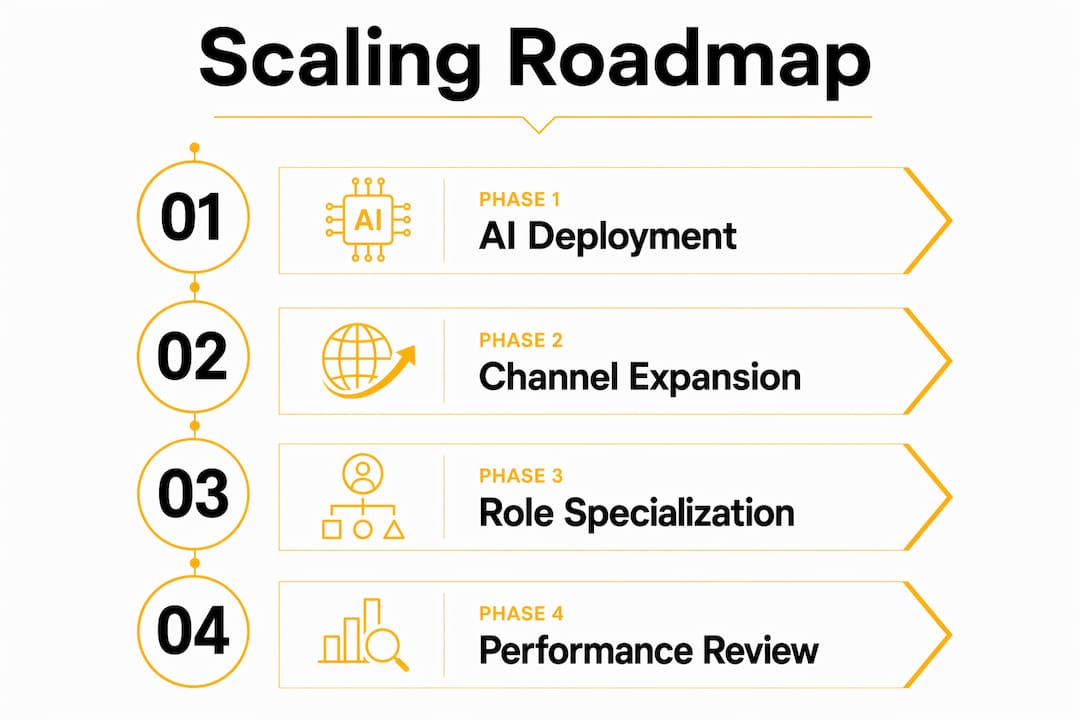
The most effective way to grow a customer support team without creating operational risk is a structured 90-day phased approach. Ecommerce brands have proven this model works, moving from zero AI integration to a fully restructured CX operation within three months.
-
Days 1–30: Deploy AI on your highest-volume channel. Pick the single channel where you receive the most repetitive queries. Deploy AI triage there first. Assign your AI Programs Lead and AI Trainer. Set a baseline for response time, resolution rate, and cost per ticket. Do not try to automate everything at once.
-
Days 31–60: Expand AI across channels and add proactive engagement. Once your first channel is stable, replicate the model on email, chat, or social. Introduce proactive messaging for known friction points, such as shipping delays or billing questions. Add your Conversation Designer to refine dialog flows based on real interaction data.
-
Days 61–90: Enable agentic capabilities and restructure KPIs. Agentic AI means the system can take actions, not just answer questions. It can process a refund, update an account, or schedule a callback without human intervention. This is also the phase where you retire handle-time as a primary metric and replace it with automation rate, AI-attributed revenue, and customer satisfaction scores.
The table below shows how key metrics shift across each phase:
| Phase | Primary Focus | Key Metric |
|---|---|---|
| Days 1–30 | AI deployment on one channel | Cost per ticket, baseline response time |
| Days 31–60 | Multi-channel expansion | First-contact resolution rate |
| Days 61–90 | Agentic AI and KPI restructuring | Automation rate, customer satisfaction |
AI-powered CX teams cut first-response times from over 6 hours to under 4 minutes after deployment. That improvement does not happen on day one. It compounds across all three phases as your AI learns from real interactions and your agents focus on work that actually requires human skill.
Which strategies prevent common scaling challenges?
Ticket volume grows faster than your customer base. When your customer base doubles, ticket volume often triples or quadruples because complexity increases alongside scale. Reactive hiring cannot solve this. You need proactive system design.
The most effective tactics for managing volume and complexity as you expand CX teams are:
- Build a smarter knowledge base. Most tickets are repeat questions. A well-structured, searchable knowledge base deflects a significant share of inbound volume before it ever reaches an agent. Review your top 20 ticket categories quarterly and update articles to match current product behavior.
- Unify your support channels. Agents who switch between five separate inboxes lose time and context on every interaction. A single unified workspace that aggregates email, chat, social, and phone reduces handling time and improves accuracy.
- Empower agents to resolve, not just respond. Agents who must escalate every non-standard request create bottlenecks. Give Tier 2 agents clear authority to issue refunds, apply credits, or make exceptions within defined limits. This reduces escalation volume and improves customer satisfaction simultaneously.
- Use business automation tools to handle repetitive back-office tasks. Automating order updates, account changes, and status notifications frees agents for conversations that require judgment.
Scaling beyond 20 agents requires shifting from a human-only model to an AI-first operating system. Continuing to hire without restructuring the operating model produces diminishing returns and unsustainable labor costs.
Pro Tip: Map your “volumetric cliff,” the point where your current team capacity breaks under peak demand. Build your AI and staffing plan around that threshold, not your average daily volume.
How do you measure performance as CX teams scale?
Measurement is where most scaling efforts break down. Teams that replace handle-time KPIs with automation rate, AI-revenue attribution, and customer satisfaction metrics get a far more accurate picture of what is actually working.
The four-step measurement framework for optimizing customer experience teams at scale:
- Establish a conversation analytics baseline. Move beyond ticket counts and average handle time. Track sentiment trends, escalation rates, and topic clustering to understand what your customers actually need.
- Collect QA data at the individual agent level. Individualized coaching closes performance gaps more efficiently than group training sessions. QA data tells you exactly which agent needs help with empathy, accuracy, or product knowledge.
- Build a weekly coaching cadence. Schedule structured one-on-one sessions using QA data as the agenda. Track improvement over four-week cycles. Agents who receive specific, data-driven feedback improve faster than those who receive generic performance reviews.
- Report AI performance separately from human agent performance. Your AI Programs Lead should own a weekly AI performance review that tracks accuracy, deflection rate, and escalation triggers. This prevents AI drift, the gradual degradation of AI response quality that happens when no one is watching.
“Deep conversation analytics and quality assurance data allow CX leaders to personalize coaching at scale, closing communication gaps that generic training cannot address.”
The shift from one-dimensional metrics to conversation analytics is not just a reporting upgrade. It changes how your entire team understands success. Agents stop optimizing for speed and start optimizing for resolution quality.
Key Takeaways
Scaling CX teams effectively requires AI-first operating system design, clear role ownership, a phased 90-day roadmap, and performance metrics that reflect actual customer outcomes rather than agent activity.
| Point | Details |
|---|---|
| Build a tiered architecture first | Separate Tier 1, 2, and 3 queries before deploying AI or adding headcount. |
| Assign dedicated AI ownership | An AI Programs Lead prevents drift and keeps AI performance improving over time. |
| Follow a 90-day phased roadmap | Deploy on one channel first, expand in phase two, and restructure KPIs in phase three. |
| Design for volumetric cliffs | Plan capacity around peak demand thresholds, not average daily ticket volume. |
| Replace handle-time metrics | Track automation rate, AI-attributed revenue, and customer satisfaction instead. |
What I’ve learned from watching CX teams scale the hard way
The most common mistake I see is treating AI deployment as a one-time project rather than an ongoing product. Teams spend months selecting a platform, run a successful pilot, and then hand it off to whoever has bandwidth. Six months later, the AI is giving outdated answers, escalation rates are climbing, and no one can explain why. The fix is not a better platform. It is assigning a dedicated owner from day one.
The second thing most articles will not tell you is that balancing AI with human expertise is harder than it looks in theory. Agents who feel threatened by AI undermine it, subtly or openly. The teams that scale well are the ones that reframe AI as a tool that removes the worst parts of the job, the repetitive, low-value queries, so agents can focus on interactions that actually require skill.
The 90-day roadmap works, but only if leadership commits to the KPI restructuring in phase three. That is where most organizations stall. Retiring handle time as a metric feels risky because it is familiar. But handle time rewards speed, not quality. The teams that make the switch consistently report higher customer satisfaction and lower agent turnover within two quarters.
— Daniela
Altiamcx: built for teams that are ready to scale
Growing a CX operation is one of the most operationally demanding things a business can do. Altiamcx works with organizations that need to scale without sacrificing service quality or burning through headcount budgets.

Altiamcx combines nearshore team extension, AI-powered support design, and measurable performance frameworks to help businesses grow their CX capacity with discipline. One software platform that migrated its tech support to Altiamcx saw productivity improve by 89% while reducing operational friction across the board. If you are building a CX operation that needs to perform at scale, Altiamcx provides the structure, the talent, and the accountability to make it work.
FAQ
What does it mean to scale a CX team?
Scaling a CX team means increasing service capacity through AI-powered systems, tiered support design, and role specialization rather than proportional headcount growth. The goal is to handle more volume at lower cost per ticket while maintaining or improving customer satisfaction.
How long does it take to scale a CX team with AI?
A phased 90-day roadmap is the proven approach: deploy AI on one channel in the first 30 days, expand across channels in days 31–60, and restructure KPIs in days 61–90. Most teams see measurable efficiency gains within the first 60 days.
What roles are needed to scale a CX team effectively?
The four critical roles are AI Programs Lead, AI Trainer, Conversation Designer, and Specialist Agents. Each role owns a distinct part of the AI-powered CX system, preventing the fragmentation that causes most scaling efforts to fail.
How do you prevent AI drift when scaling CX operations?
Assign an AI Programs Lead who runs weekly performance reviews and manages version control for AI workflows. Without systematic oversight, AI response quality degrades over time as products, policies, and customer needs change.
Which metrics should replace handle time when scaling CX teams?
Automation rate, AI-attributed revenue, and customer satisfaction scores give a more accurate picture of CX performance at scale. These metrics reflect actual customer outcomes rather than agent activity, which is what matters when AI handles a significant share of interactions.